
How Revenir works
Three screens and that is it. This is everything inside the app: what you see on each one, and what it is for.
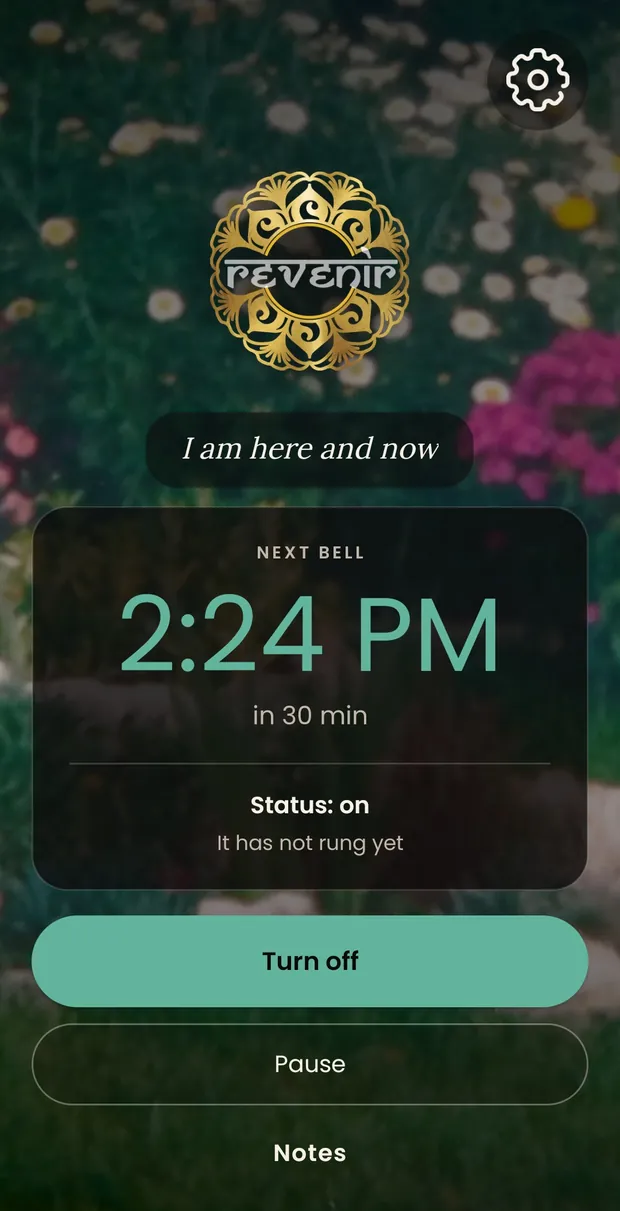
The main screen
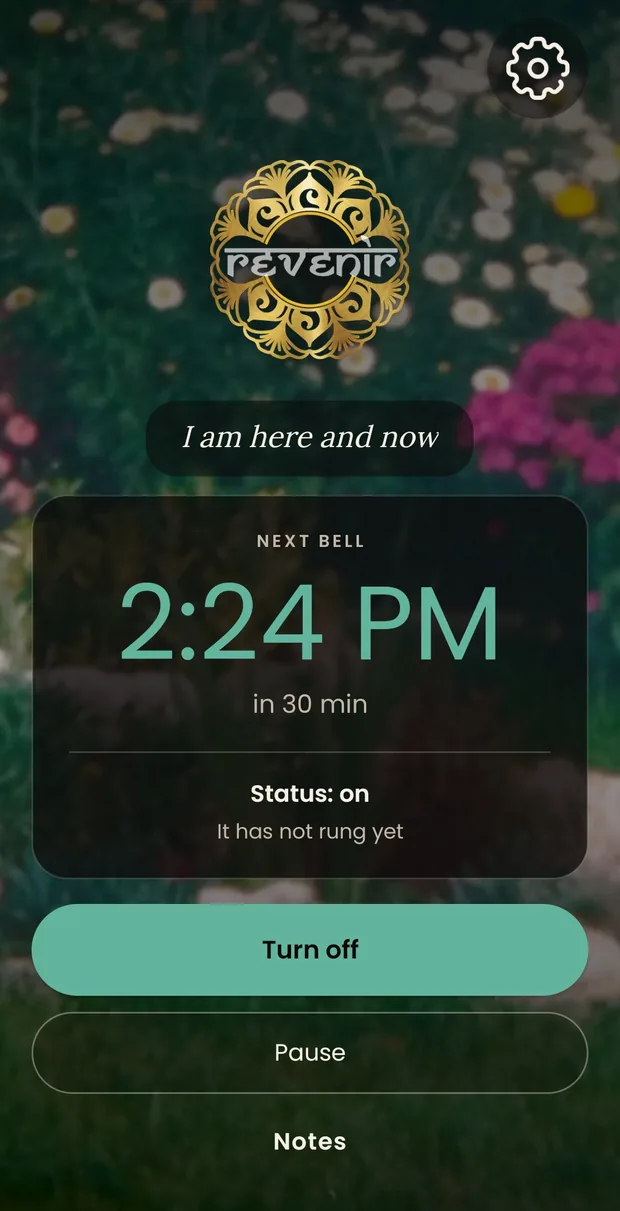
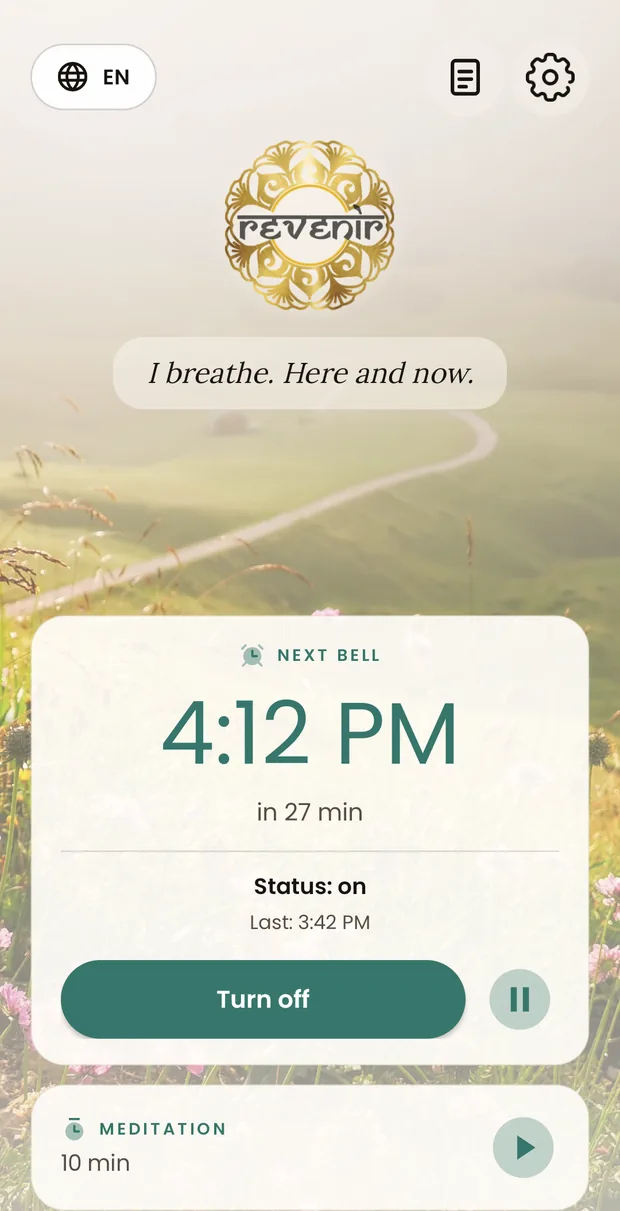
It is the first thing you see when you open the app, and very nearly the only thing. At the top, the language selector on the left and, on the right, notes and settings. In the middle, the logo and — if you have written one — your own phrase, which you tap to change without going into settings.
Below that are two cards, one for each thing the app does. The bell card gives the time of the next reminder in large type, how long is left, and whether it is on, off or paused. Its two buttons live inside it: the wide one turns it on and off, and the disc beside it pauses it for 1 to 24 hours — for a meeting, a cinema, a journey — and it resumes on its own.
The second card is meditation: it says how long the session lasts and, if you have set one, what time it starts by itself each day. The disc starts and stops it. While you meditate, that same card counts down the time left and the bell stays quiet.
Once you turn the bell on, the app closes and there is no need to come back. If you like, the next reminder stays in view in the notification bar.
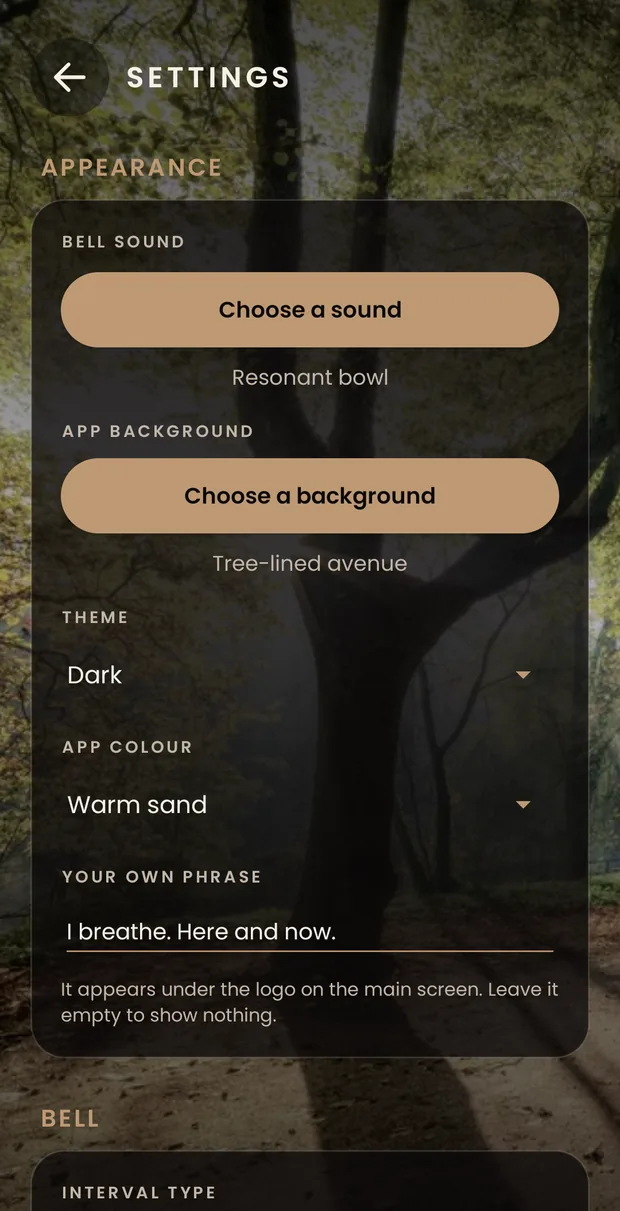
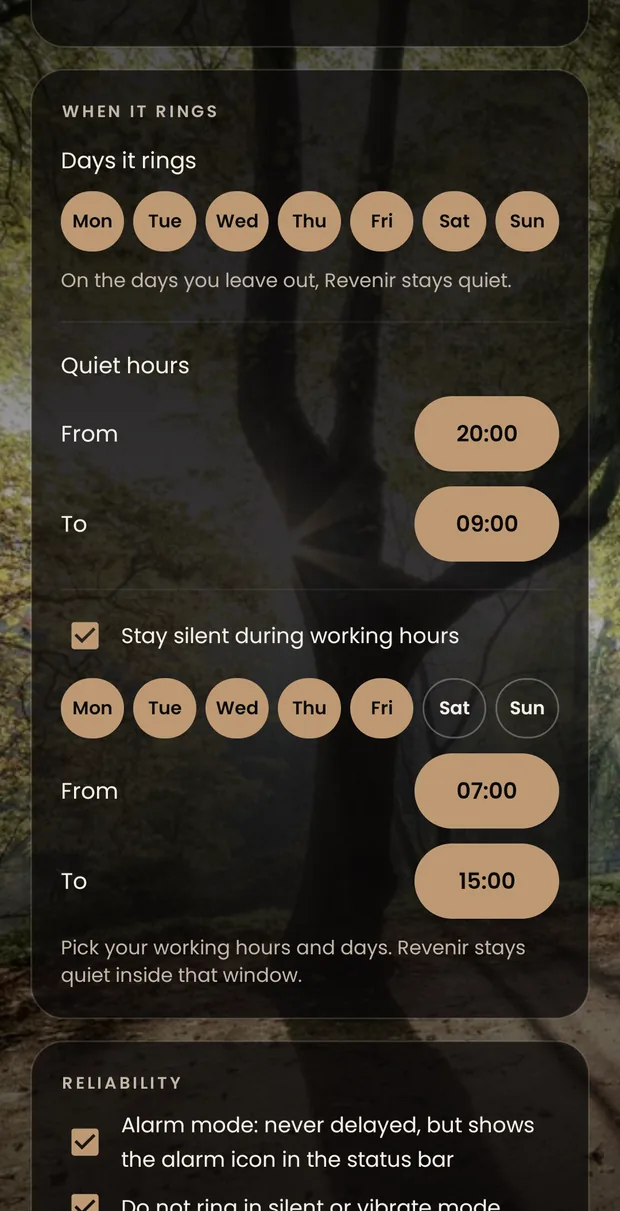
Every setting, one by one
They open with the wheel at the top right. It is one single screen, with no tabs and no menus: you scroll to the end and that is all of it. The settings are grouped by what they govern, and everything saves itself — there is no save button.
-
Appearance
It comes first because it is what you touch when you first install the app and almost never again. The bell sound and the background, each with its own button to choose; the light or dark theme; the colour; and the phrase that appears under the logo. Several bowls and bells come included, and the button brings in any audio file on your phone: Android shows you its own file picker and grants us access only to the file you choose.
-
How often it rings
Fixed or random. Fixed rings at the same interval every time, from 1 minute to 2 hours. Random picks an unpredictable moment between a minimum and a maximum, and it is the one that stops the mind getting used to the sound and anticipating it.
-
When it rings
Three rules in one card. The days of the week on which the bell exists; quiet hours, a stretch that silences every day alike — 20:00 to 9:00, say; and the working day, which silences a stretch only on the days you work. That last one comes switched off, and its detail does not appear until you turn it on.
-
Reliability
Alarm mode uses Android's exact alarms: the reminder arrives on time even if the screen has been off for hours, at the cost of an alarm icon in the status bar. Plus two boxes so it keeps quiet when the phone is on silent or in airplane mode.
-
Meditation
The length of the session, the sound it ends with — which is separate from the bell's — and whether it also rings at the start. Below that, the daily meditation: a fixed time at which the session starts by itself, with that same length. Starting and stopping is done from the main screen, which is where you are when you sit down.
-
Language
Ten languages, from Spanish to Turkish. Out of the box it follows the phone’s language, and it can be changed for Revenir alone without touching the rest of the phone.
-
System status
A summary of what Android is currently allowing the app: notifications, exact alarms and battery saving. If any of them says “Pending”, the button underneath takes you straight to the system setting you need to change. It is the first place to look if a bell does not ring.
Colours and palettes
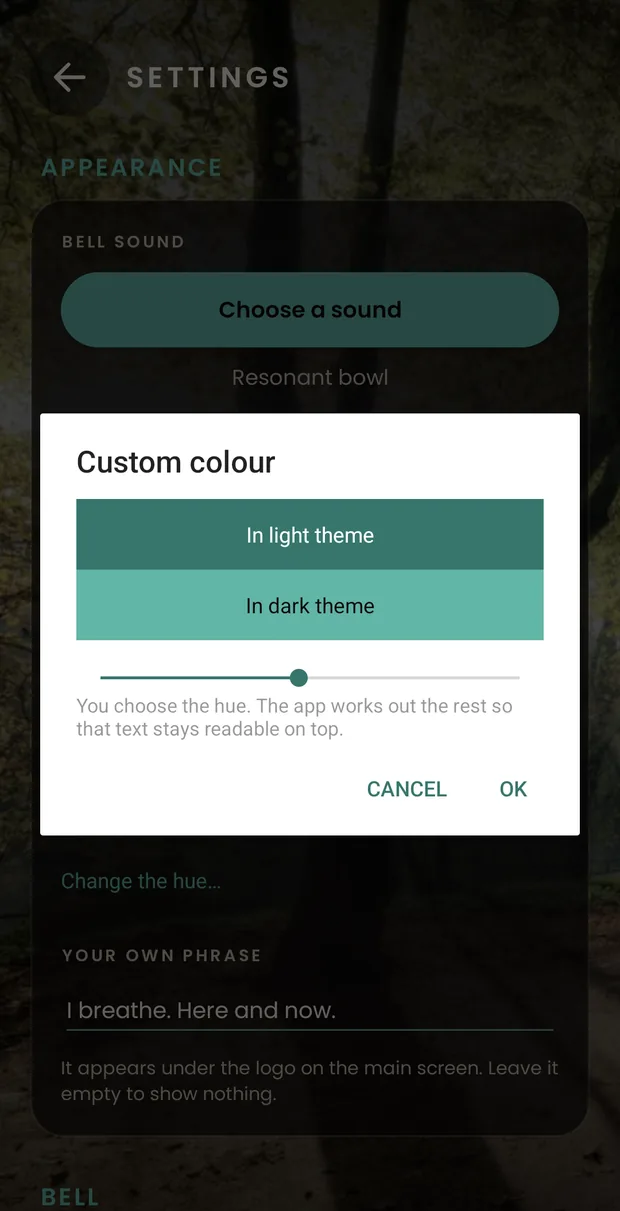
Thirteen calm palettes and, if none of them convinces you, any hue on the wheel. Every image in this guide is a real screenshot of the app, untouched.
-
Why you pick only the hue
One colour on its own is not enough: it takes one for the button, another for the text and another for the background. You pick yours and the app works out the rest, so everything stays readable.
-
All 360 hues, checked one by one
All three hundred and sixty have been checked one by one, with a photo background and without one, in the light theme and the dark one. And because saturation is fixed, none of them turns garish.
-
The language is separate
The language is not a matter of looks, so it has its own card, below the appearance one.
The notes
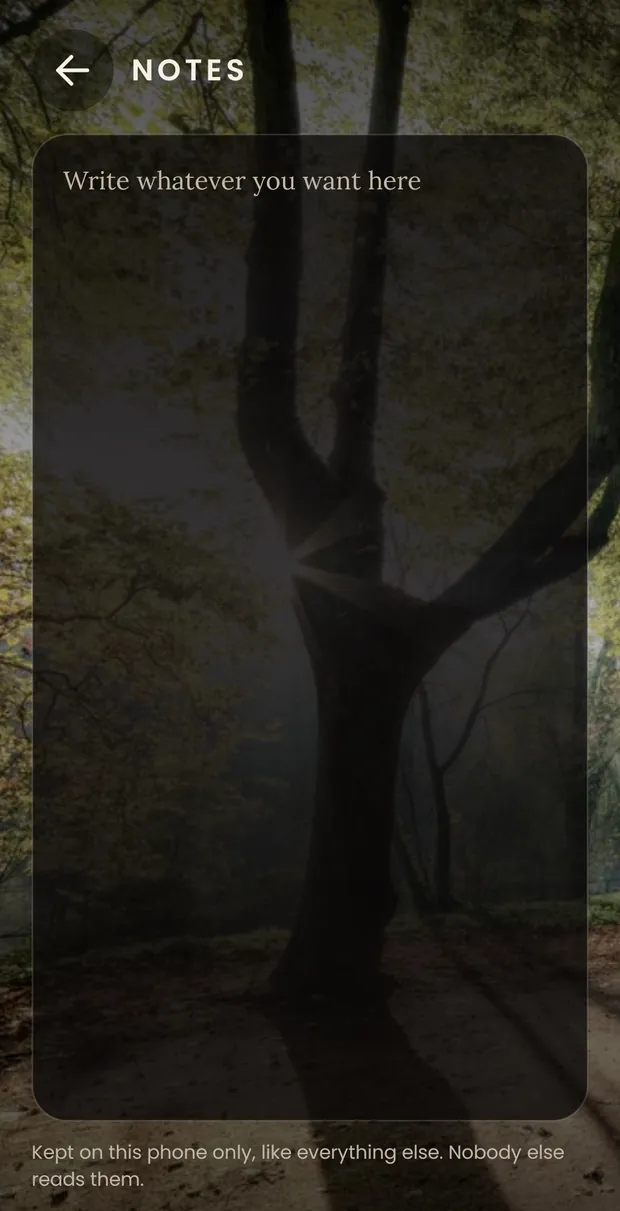
A blank sheet and nothing else. No lists, no tags, no dates, no word count. For whatever you want to jot down when the reminder rings: where you were, what you noticed or a line you read.
They are saved in their own file, inside your phone. The app has no way of getting them out: it has no internet permission.
What to do if a bell does not ring
It is nearly always the same thing: the system has killed the app in the background to save battery. Xiaomi, Huawei, Samsung and Oppo are particularly aggressive about this.
Look at System status first, at the end of the settings. If battery saving shows as pending, the button takes you to the system list where you can leave Revenir out of it. The app does not request that permission by itself — it is one of the ones Google restricts — so it has to be done from there.
If it still fails, write to us at hola.quitar-esto@revenir-nospam.es and we will look into it. It is the kind of fault that only gets fixed with help from the person suffering it.

Two minutes of setting up and that is it
Free, no ads and no account.